
Small Business Accounting Software That Fits the Stage You Are In
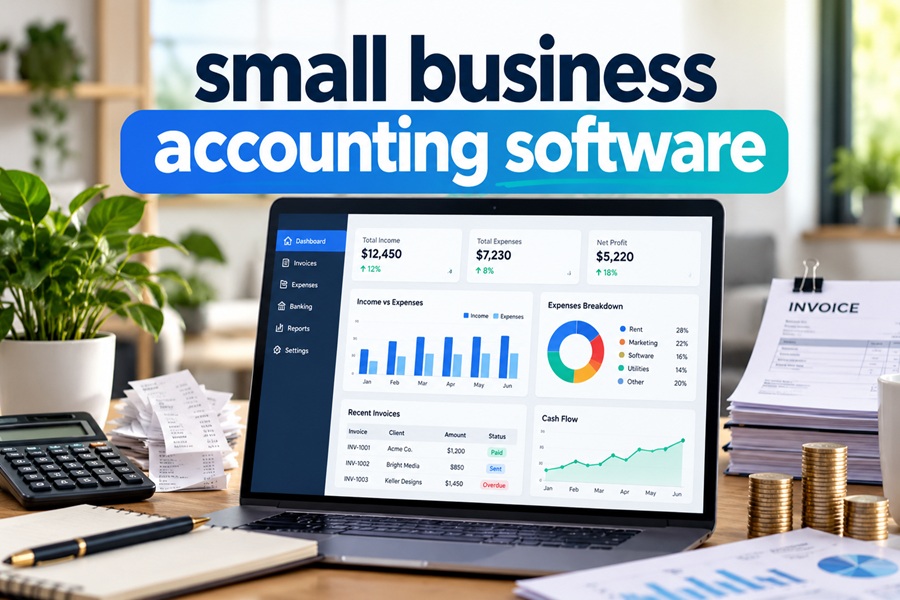
Most owners shop for accounting software the way they shop for a mattress. They skim a few reviews, feel overwhelmed by the options, and buy whatever brand is loudest that month. A year later the renewal email arrives, the price is higher, the plan feels either too small or far too big, and switching seems like more trouble than it is worth.
There is a smarter way to look at it. Accounting software is not a single decision. It is a string of decisions that shift as the business shifts. What a solo designer needs looks nothing like what a twelve person HVAC company needs, and paying for the wrong layer is where most of the wasted money goes.
So instead of ranking products, this guide walks through the four stages most small businesses pass through and what the books actually demand at each one.
Stage One: Just You and a Business Bank Account
At the start, the job is simple. Money comes in, money goes out, and you need a clean record at tax time. You do not need purchase orders, approval workflows or class tracking. You need four things to work well.
- A reliable bank feed so transactions land in the software on their own
- Receipt capture from your phone
- Basic invoicing with an online payment link
- Mileage tracking if you drive for work
Plenty of tools cover this without much cost. Intuit now sells QuickBooks Solopreneur, also listed as QuickBooks Lite, at around $20 a month, plus a free tier for very early self employed users. Wave keeps a free Starter plan for invoicing and bookkeeping, with automatic bank connections reserved for its paid Pro plan. Zoho Books stays free for businesses under $50,000 in annual revenue, with room for up to 1,000 invoices a year, one user and one accountant.
The honest advice for this stage is to avoid overbuying. A full featured plan will not make you more organized. A ten minute weekly habit of categorizing transactions will.
Stage Two: First Hires and First Contractors
The moment someone else gets paid by your business, the software has more work to do. Payroll enters the picture, and so do contractor payments and year end tax forms.
Here is a recent change worth knowing. For payments made in 2026, the threshold for sending a contractor Form 1099 NEC or 1099 MISC rose from $600 to $2,000, and it will adjust for inflation starting in 2027. Separately, the reporting threshold for payment apps and marketplaces that issue Form 1099 K went back to more than $20,000 and more than 200 transactions. Your software needs to flag 1099 vendors correctly, and any old rules built around the $600 figure should be updated.
At this stage, owners usually look at QuickBooks Online Essentials, which rose to $85 a month for renewals after August 1, 2026, or Xero Growing, which moved to $59 a month on October 1, 2026. The big structural difference is users. Essentials allows three. Every Xero plan allows unlimited users, which matters once a bookkeeper, a partner and a CPA all need access.
Payroll is almost always an extra line item. QuickBooks sells its own payroll plans separately, and Xero in the US leans on Gusto, whose Simple plan runs about $49 a month plus $6 per employee.
Stage Three: Inventory, Projects or More Than One Location
This is where the gap between plans gets real. A retailer tracking stock, a contractor measuring profit job by job, or a café with two locations needs features that entry plans simply do not include.
QuickBooks Online Plus, now listed at $140 a month for five users, adds inventory tracking, project profitability, budgeting and class and location tracking. Xero Established, now $97 a month, unlocks projects, expense claims and multicurrency. Ecommerce sellers often pair either platform with connector apps that summarize Shopify or Amazon payouts so the books do not drown in thousands of individual orders.
Before upgrading, ask whether you need the feature inside the accounting software at all. Some businesses run inventory in their sales platform and send only summarized entries to the ledger, which keeps the accounting plan cheaper and the books cleaner.
Stage Four: A Real Team, Approvals and Several Entities
Once a finance team forms, the priorities change again. Custom user roles, approval steps for bills, batch editing and deeper reports start to matter more than price.
QuickBooks Online Advanced sits at $340 a month for up to 25 users after the August increase, and Intuit’s update reportedly folds premium payroll and bill pay tiers into that plan. Beyond this point, companies usually look at Intuit Enterprise Suite, Sage Intacct or NetSuite, which are a different category of software with implementation projects attached.
| Stage | What the books demand | Where owners usually look | Typical list price per month |
|---|---|---|---|
| Solo | Bank feed, receipts, invoices, mileage | QuickBooks Solopreneur, Wave, Zoho Books Free | $0 to $20 |
| First hires | Payroll, 1099 tracking, more users | QuickBooks Essentials, Xero Growing | $59 to $85 plus payroll |
| Inventory or projects | Stock, job costing, classes | QuickBooks Plus, Xero Established | $97 to $140 |
| Finance team | Roles, approvals, automation | QuickBooks Advanced and up | $340 and beyond |
What Matters at Every Stage
A few things deserve attention no matter where you are.
Price trends. Intuit has raised QuickBooks Online prices most summers. Advanced alone went from $235 to $275 to $340 a month in roughly two years. Xero raised US prices on October 1, 2026 and began phasing out its multi organization discount. Budget for the renewal price, not the promotional one.
Accountant access. Your CPA should be able to log in without sharing your password. Check how many seats the plan allows and whether the accountant seat counts against them.
Getting your data out. Before you commit, find out how to export a full general ledger, customer list and vendor list. If leaving is painful, the company has less reason to keep prices fair.
AI features. Intuit rolled out a team of AI agents across QuickBooks Online starting in July 2025, covering categorization, reconciliation, payment reminders and cash flow insights. Xero has its own assistant called JAX. Both save time on routine work, but someone still needs to review what they post. A suggested category is a guess, not a verdict.
Buy for the Next Eighteen Months
The best small business accounting software is not the one with the longest feature list. It is the one that matches what your business does today and can stretch a little for what it will do next year. Start at the plan that fits your current stage, keep the books current every week, and revisit the choice at each renewal. Upgrading later takes a few clicks. Paying for features you never touch costs real money every single month.
Leave a reply



-
Prospecting Explained for Sellers Starting From Zero
Sales prospecting is the work of finding potential customers who fit what ... -
-
-
-
-
-